Sprint-Related Plugins
Sprint Burndown Chart
-
Use Cases: Display sprint burndown charts by iteration or time
-
Steps:
- Select Sprint Burndown Chart and click Confirm
- Choose to view by iteration or by time (detailed usage below)
- Configure whether to display non-working days as needed
- Filter data as needed
- Select display format in the upper left corner (dual line display/bar-line combination) as needed
- Click Query
- Click Save in the upper right corner and name the component
-
Dimensions
- By iteration: Select specific iteration panel in the interface

- By time: Select different time dimensions in the interface
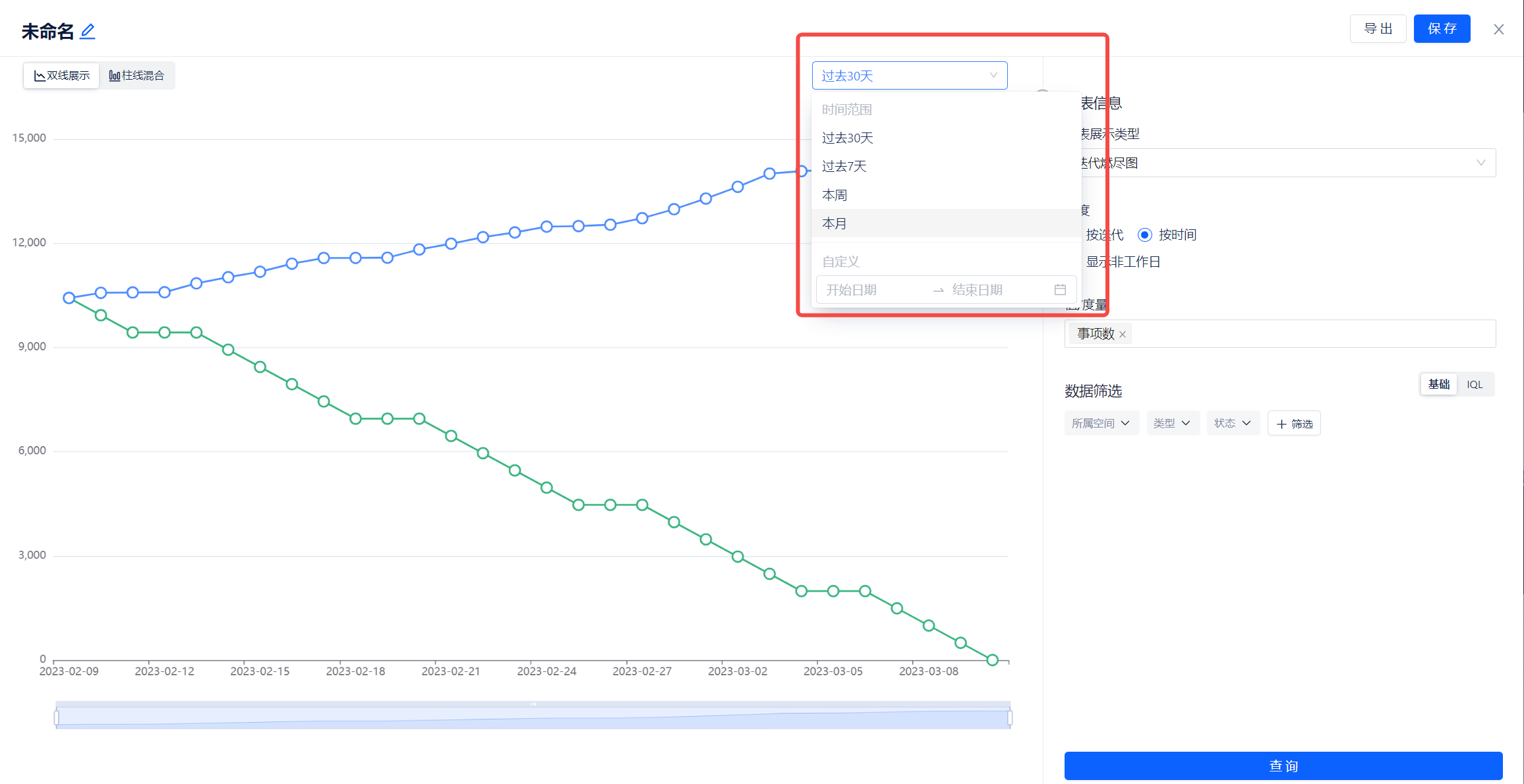
- By iteration: Select specific iteration panel in the interface
Example:

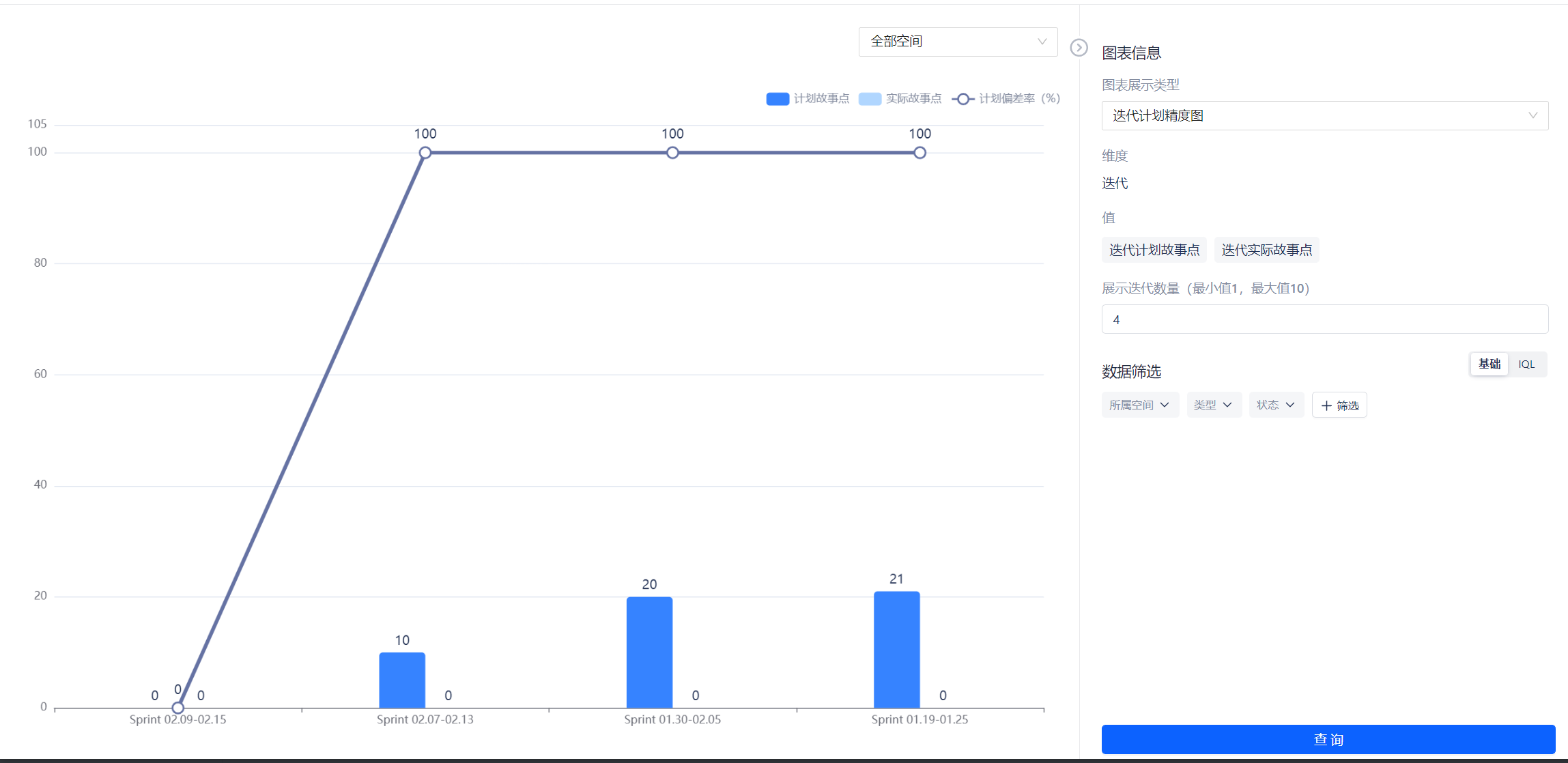
Sprint Planning Accuracy Chart
-
Use Cases: View the gap between sprint planning and actual story points
-
Steps:
- Select Sprint Planning Accuracy Chart and
- 按需编写迭代计划精度图内容
- 按需选择迭代面板(详细使用见下文)
- 按需配置迭代数量
- 点击查询
- 点击右上角保存并对组件进行命名
-
迭代面板选择
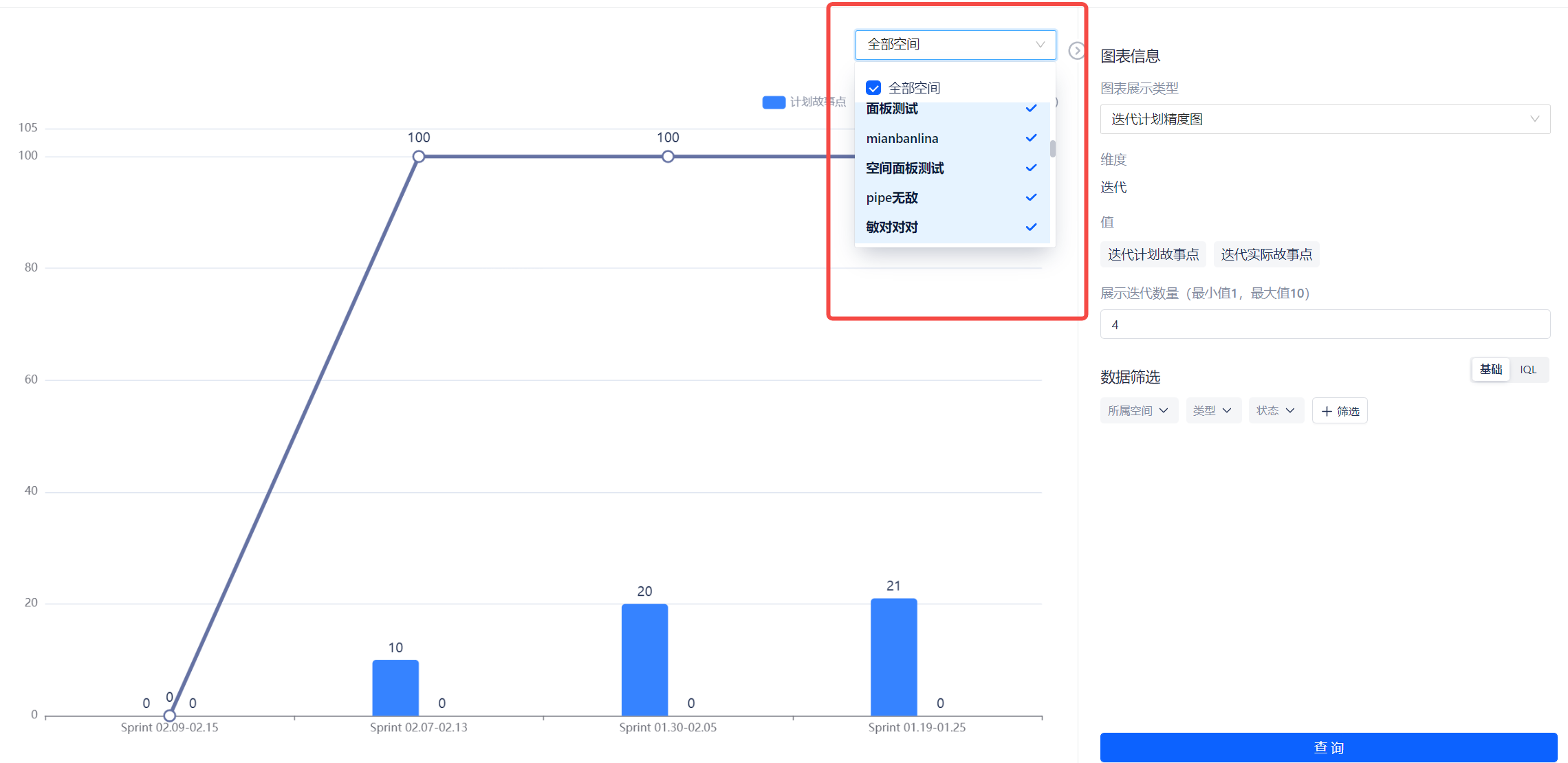
示例: