Field Behavior
Scenario Description
Field behavior is mainly used to configure field properties, such as required, read-only, and hidden. Without any configuration, field properties default to editable.
Main Functions
Create/Delete Field Behavior
 Fill in the field behavior name and description
Click the [Delete] button to delete field behavior. After deletion, the configured behavior will not take effect and cannot be recovered. Delete with caution.
Configure Field Behavior
Click configure to enter the field behavior configuration page
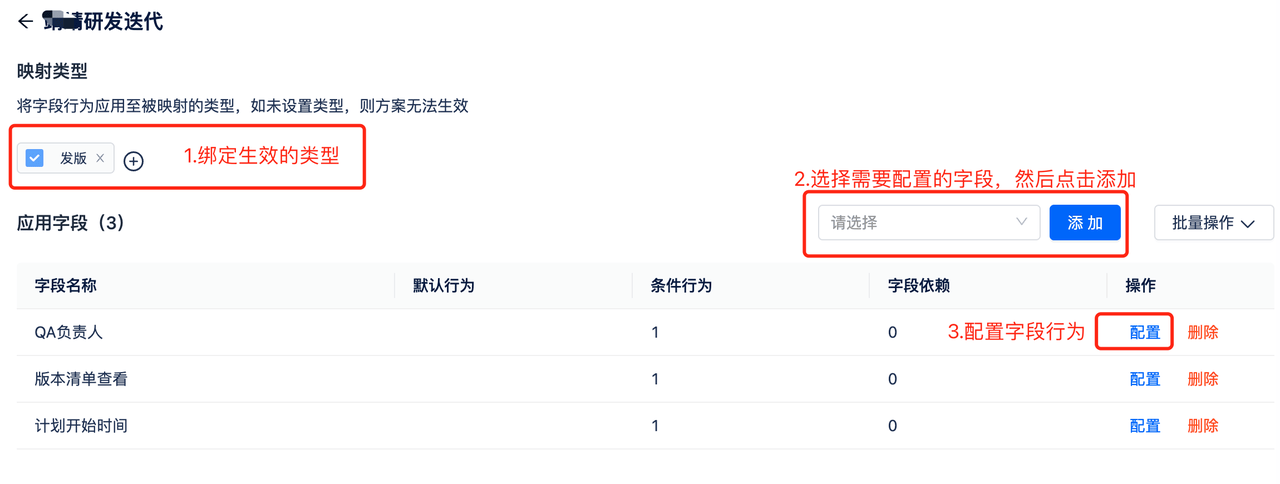
- Select the type where field behavior takes effect, such as requirements, defects
- Add fields, select fields that need to be configured. Fields are all fields in the system (excluding special fields like field sets)
- Configuration
OR relationship between list page conditions
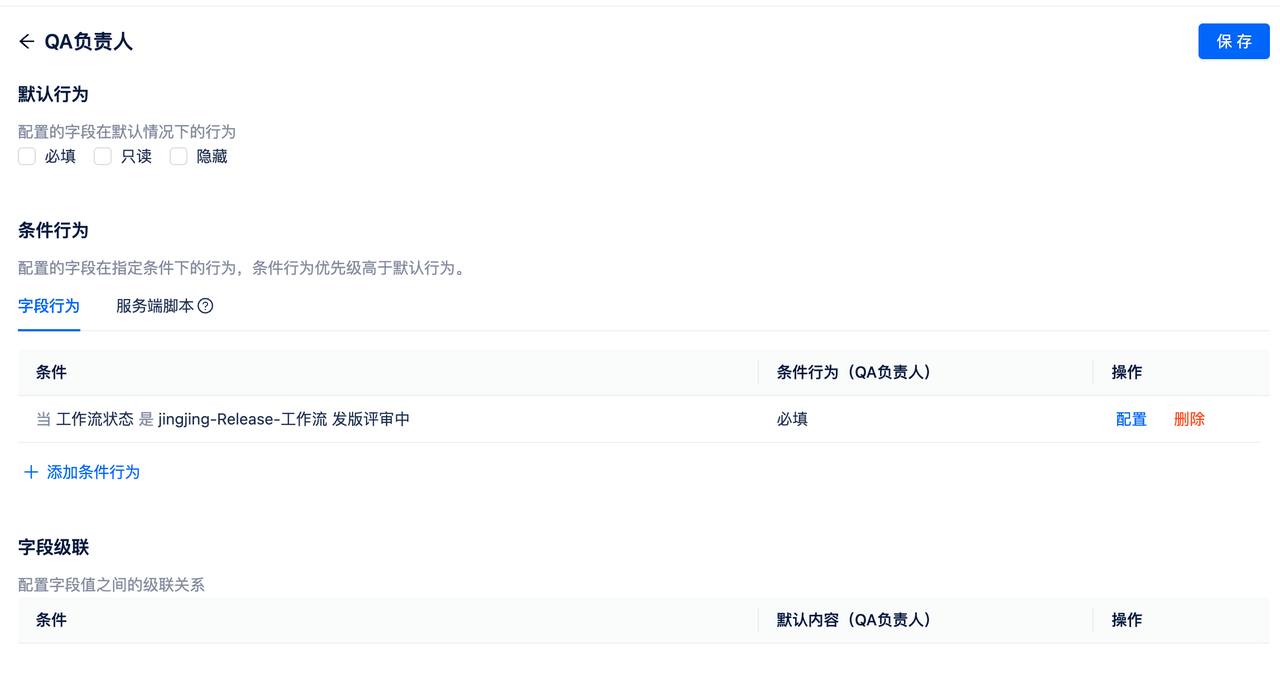
- Default Behavior Default behavior means that fields of this type will display this behavior by default under any conditions. It is recommended to select only one option among required/read-only/hidden when configuring, as selecting multiple options may cause conflicts. When both default behavior and conditional behavior are configured, conditional behavior takes precedence.
- Conditional Behavior
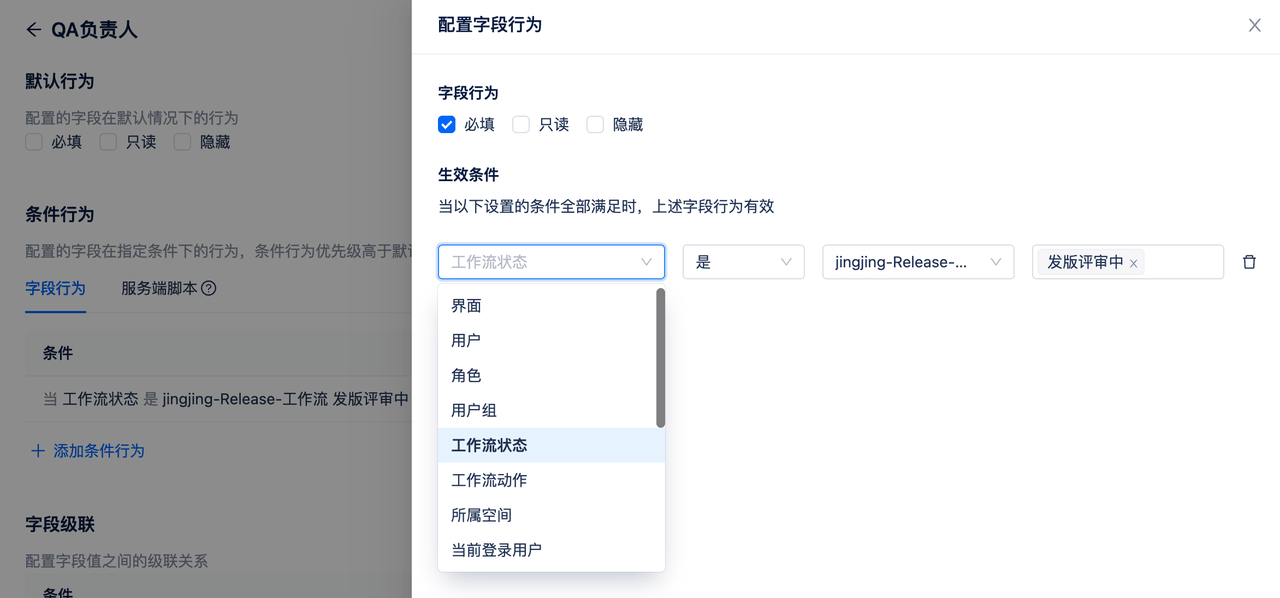 Conditional behavior configures fields to display corresponding properties when specific scenarios are met. Common scenarios include: certain sensitive fields are only visible to leaders, fields are required under certain states, etc.
Effective conditions:
Conditional behavior configures fields to display corresponding properties when specific scenarios are met. Common scenarios include: certain sensitive fields are only visible to leaders, fields are required under certain states, etc.
Effective conditions: - Interface: When the interface is create/edit/view interface
- User: When user is/is not xx
- Role: When role (project role) is/is not xx
- User Group: When user group is/is not xx
- Workflow State: When workflow is/is not workflow, state is xxx
- Workflow Action: When workflow action is/is not workflow, action is xx
- Belonging Space: When belonging space is/is not xx
- Current Login User: When current login user is/is not xx
- Field: When field is/is not xx (supports dropdown types) AND relationship between the above conditions
- Cascade
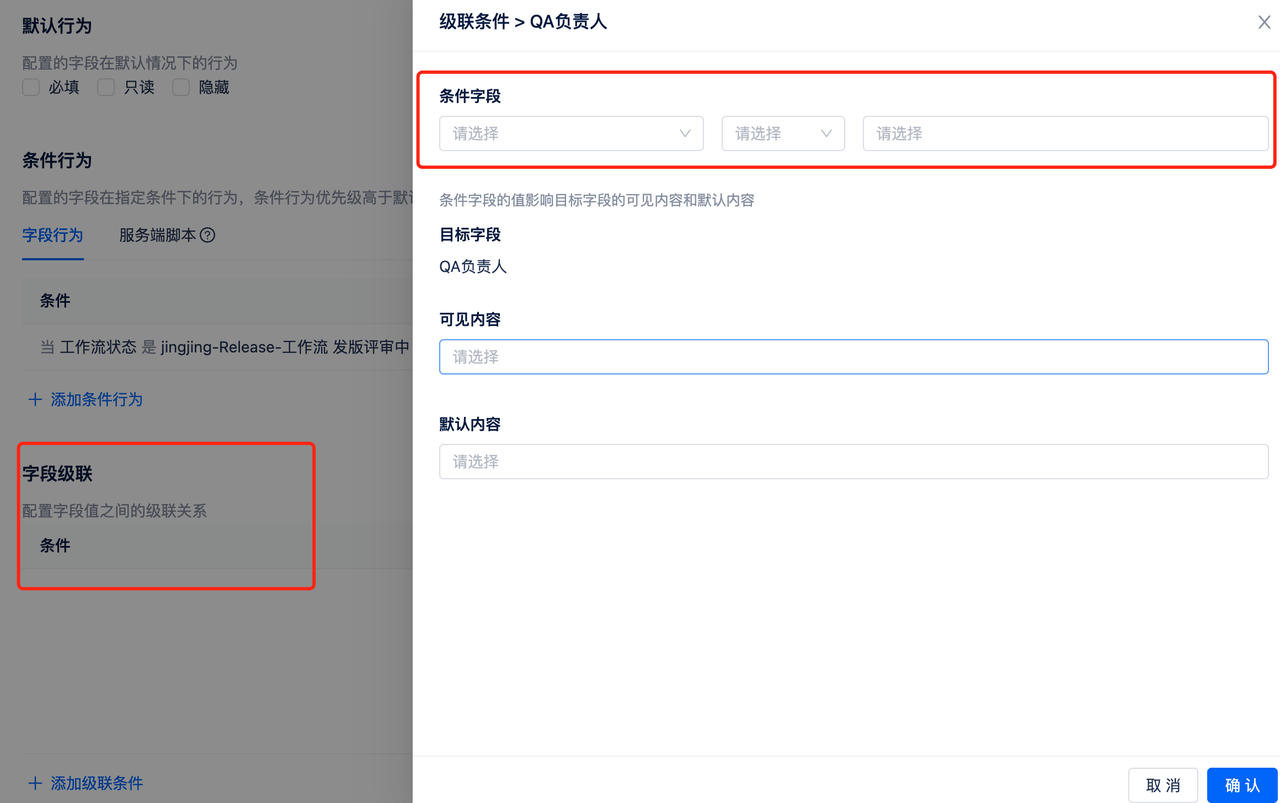 Currently, user, text, dropdown, radio button, checkbox, numeric, and date fields support cascade configuration. The scenario is cascading between two dropdown boxes.
 - Conditional fields default to only dropdown selection (single choice, multiple choice), radio buttons, checkboxes
- The value of the conditional field affects the visible content and default content of the target field. Visible content refers to which options can be selected for the target field, and default content refers to the default options/default values of the target field.
- Different types of target fields have different display styles for visible content and default content.