Item Type Hierarchy Scheme
Scenario Description
The item type hierarchy scheme is mainly used to restrict the hierarchical relationships between types. For example, you can create sub-requirements and development task sub-items under requirements, and create defects under sub-requirements. After configuration, types will strictly follow the hierarchy, and creation that doesn't conform to the hierarchical relationship will not be allowed.
Main Features
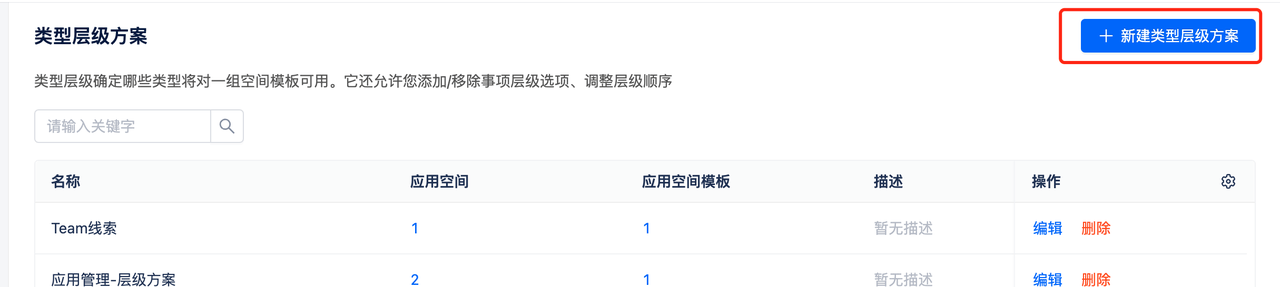 Click [Create Item Type Hierarchy Scheme], enter name and description
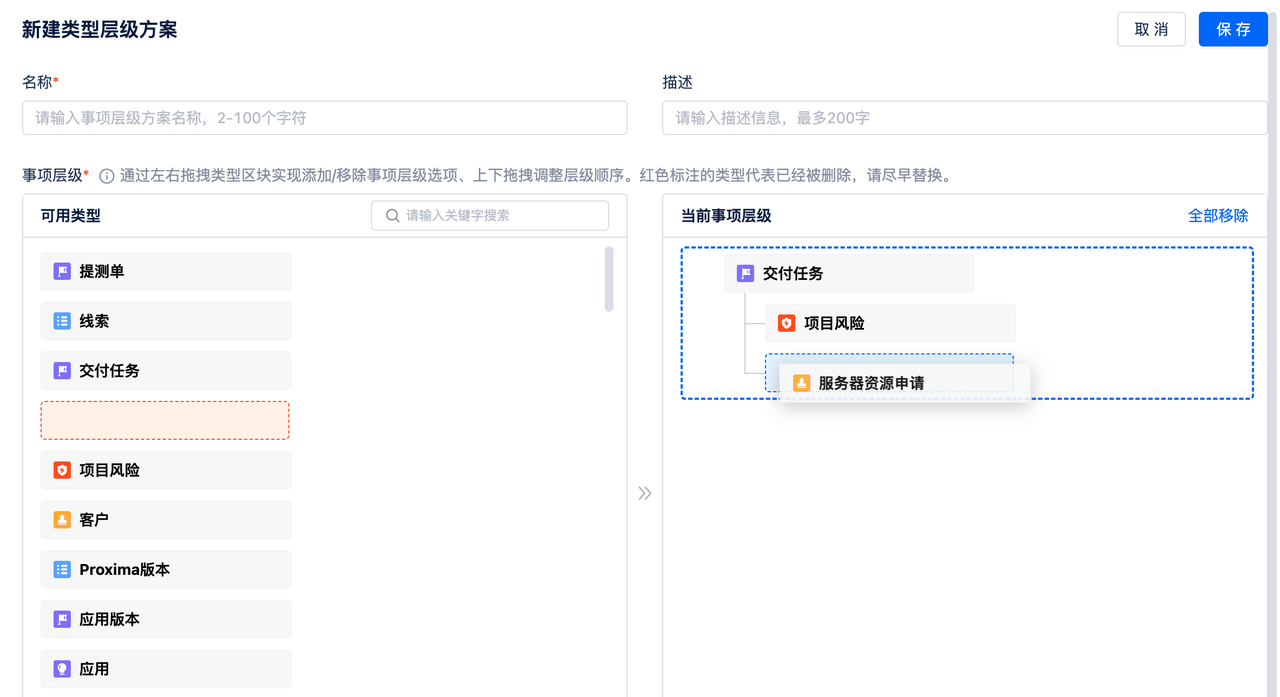
- Item Hierarchy: Add/remove item hierarchy options by dragging item type blocks left and right, adjust hierarchy order by dragging up and down
- The left panel shows configured item types, the right panel shows the item hierarchy currently being configured. You can drag item types from left to right to specify hierarchical relationships
- You can remove item hierarchies from the right side individually or all at once
- Types at different hierarchy levels can be different, but types within the same hierarchy level cannot be the same
- Delete hierarchy scheme: If the hierarchy scheme is applied to a space, it cannot be deleted