Configuration Import/Export
Scenario Description
For item-related configurations across different environments, such as types, fields, and screens, you can export configurations and then import them into a new environment to reduce manual setup.
Configuration Export
Click [Export All] to export all data under the type.
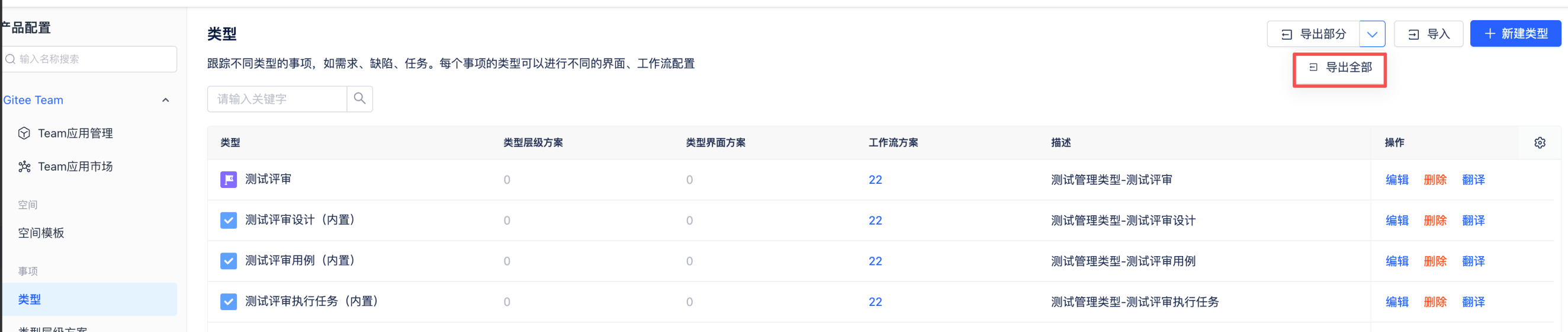
Click [Export Partial], select the data to export, and confirm to export a JSON file.

Configuration Import
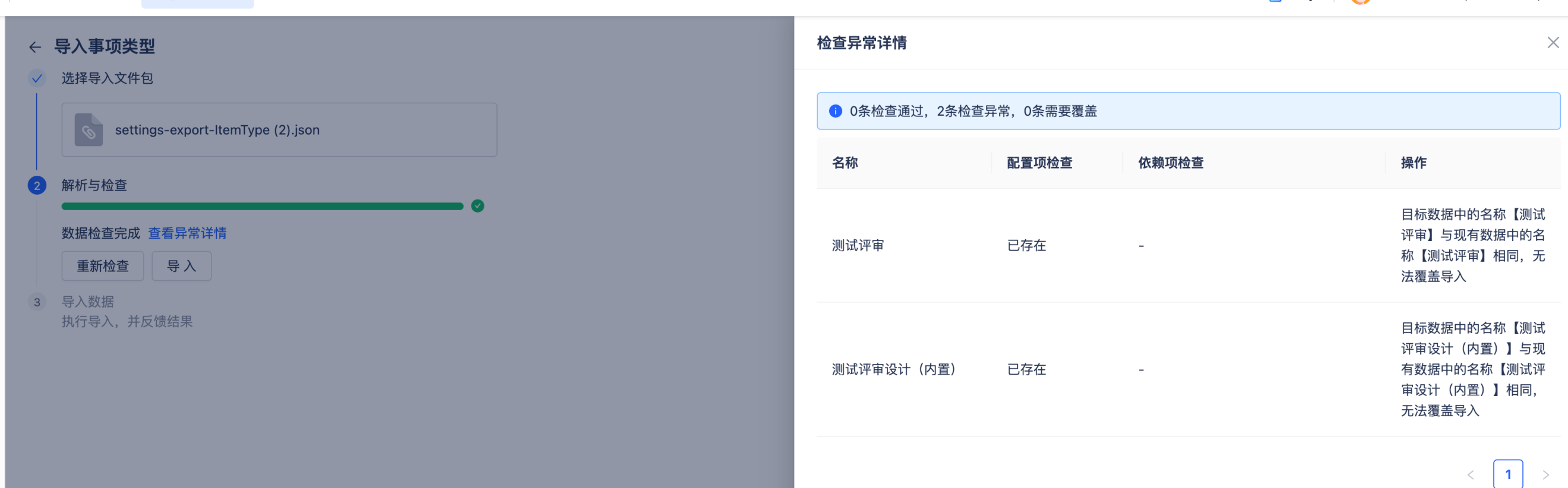
Click [Import] and upload the corresponding file (the exported file must not be modified, otherwise import will fail). Click [Check], and the system will verify whether import is allowed. Existing data cannot be imported again.
Configuration Import Rules
-
Supported import/export objects: item type, item type hierarchy scheme, custom field, field behavior, screen, screen scheme, item type screen scheme, status, workflow, workflow scheme, and item link.
-
Import rule: mapping by name is prioritized.
Item Type: Import is allowed only when both type key and name are exactly the same. If the name is the same but the key is different, import is not allowed. If the key is the same but the name is different, choose whether to overwrite or not import.
Item Type Hierarchy Scheme: Validate by scheme name. If the name is the same, the system prompts whether to overwrite. If the name is different, import directly.
Custom Field: During import, field name, field type, and field unique identifier must all be absent before direct import is allowed. If key and field type are the same and the name is the same, an exception prompt is shown and the user can choose [Overwrite]. Overwrite includes configuration content. In other scenarios, import fails with an exception prompt.
Screen: Determined by screen name. If a screen with the same name exists, the system prompts [Whether to overwrite]. If [Overwrite] is selected, the existing screen is overwritten by name, including fields, screen layout, and scripts. If no screen with the same name exists, import succeeds directly.
Screen Scheme: Determined by screen scheme name. If a scheme with the same name exists, the system prompts [Whether to overwrite]. If [Overwrite] is selected, overwrite the existing scheme by name. If no scheme with the same name exists, import succeeds directly.
Item Type Screen Scheme: Determined by screen scheme name.
Workflow: If a workflow with the same name exists, the system prompts [Overwrite]. If overwriting adds new status nodes, the workflow adds them directly. If overwriting removes status nodes and a removed node is still used by items (does not meet removal rules), the system prompts that required statuses are missing and import is blocked until fixed. If removal rules are satisfied, overwrite import is allowed. If a required status is missing during import, the system creates the missing status directly.
Status: Match by name.