Data Source
Dropdown Scenario Description
Data sources are divided into dropdown data sources and cascading data sources, which can serve as data sources for dropdown-type custom fields. For example, if the "Belonging System" and "Attribution System" data sources are consistent, you can maintain the data source once and reference it in dropdown boxes, eliminating the need to maintain multiple copies of data.
Creating New Dropdown Data Source
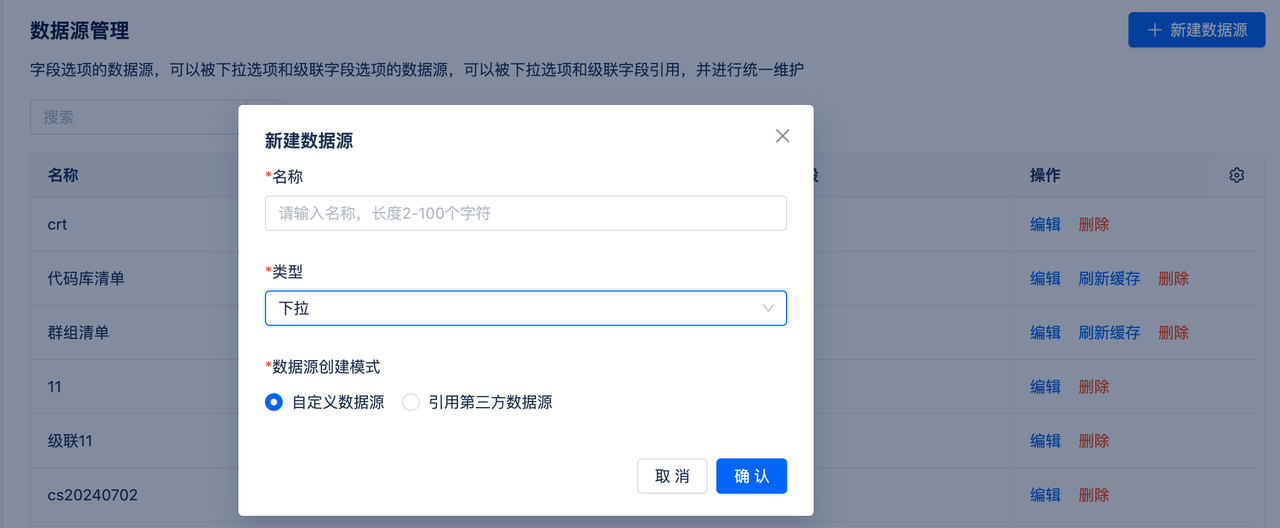
- Create a new data source by entering a name
- Select data source type and creation mode
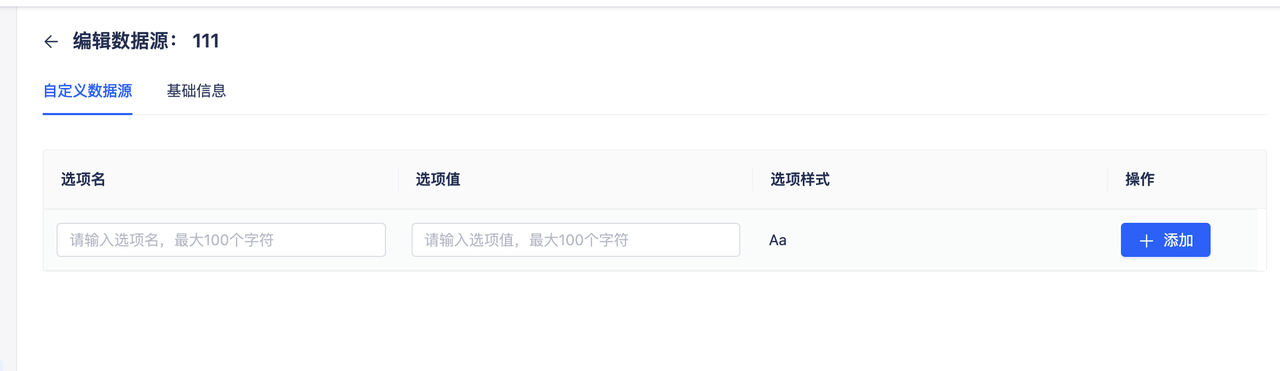
- Select custom data, fill in option names and option values
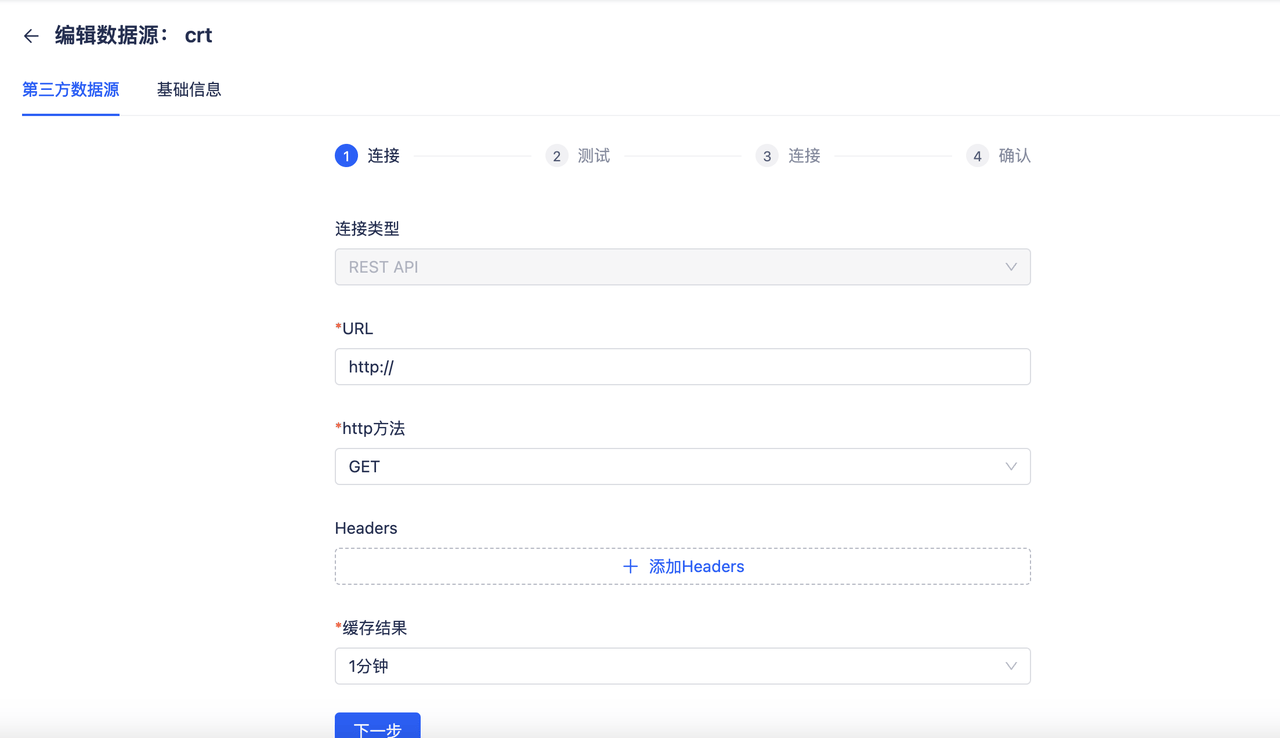
- Select "Reference third-party data source" to fill in URL address, request method and other information
- After completion, this data source will obtain data from third-party APIs
Cascading Scenario Description
Set up field value linkage. For example, in the following "Cascade" field, when option 1 is selected, the second level can choose options 3 and 5.
Creating New Cascading Data Source
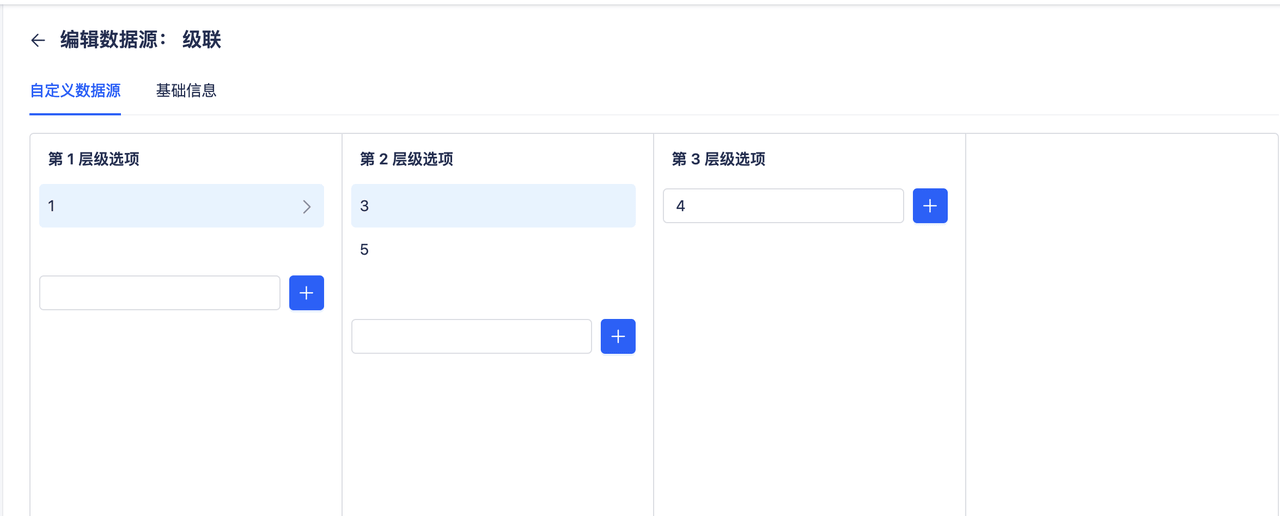
- Fill in option values, then select values to configure second-level values
- Supports up to 4-level cascading
- Supports querying and searching