Warning Management
Scenario Description
By setting warning rules, the system provides alerts for requirements or tasks that are already overdue or about to be overdue, facilitating timely tracking of development progress and risk monitoring.
Main Features
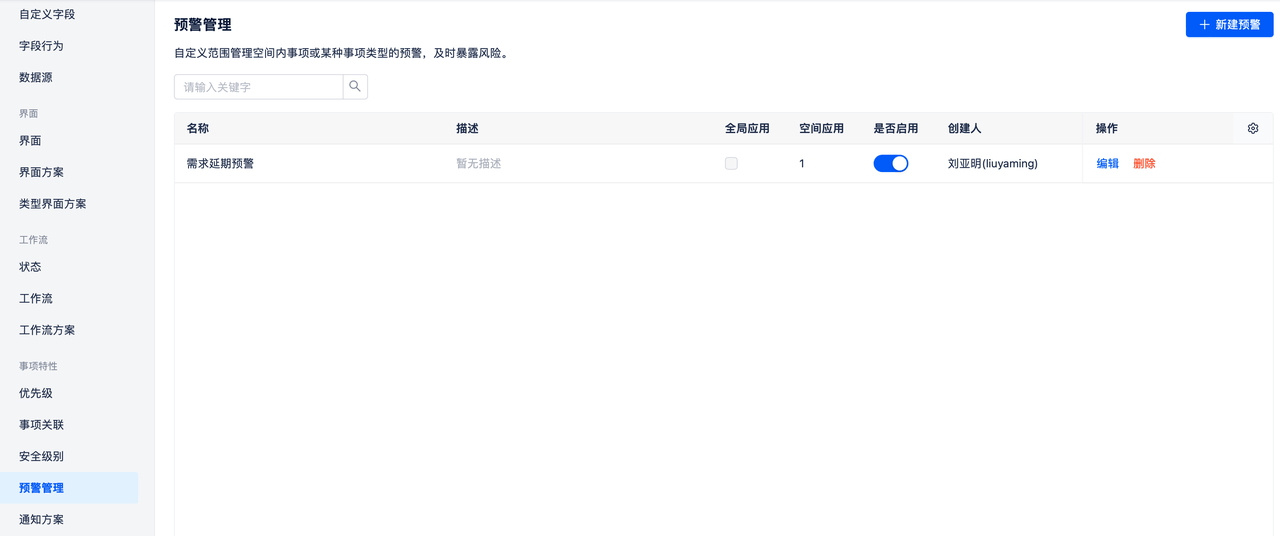
Configure Warning Rules
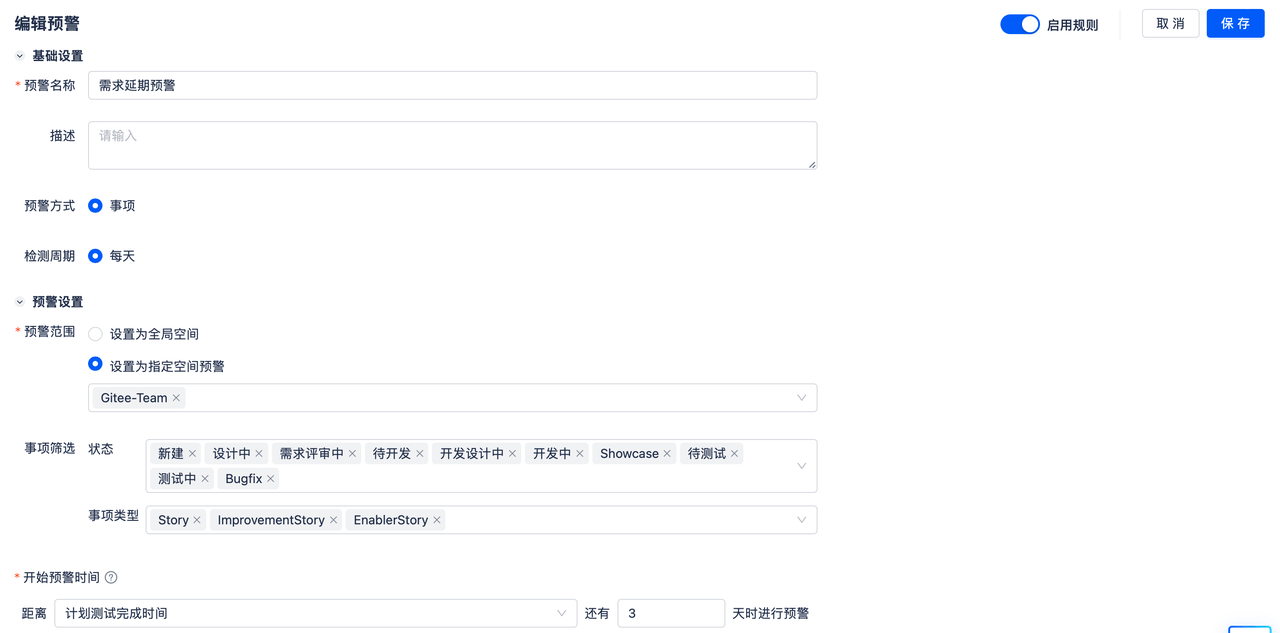
Create or edit warnings to set warning rules. Warning rules support setting warning names and descriptions.
Warning method only supports item warnings, which means warnings are provided by marking overdue items.
Detection cycle is daily, with updates occurring by default at midnight each day.
Warning scope can be set to global space (effective for all spaces) or specified spaces.
Supports filtering the scope of warning items, allowing filtering of items with certain statuses and types for warning alerts.
Supports setting the start time for warnings, which compares a selected time field on the item with the current time, and sets warnings when it's earlier than a specified number of days. For example, setting a warning 3 days before the planned test completion time.
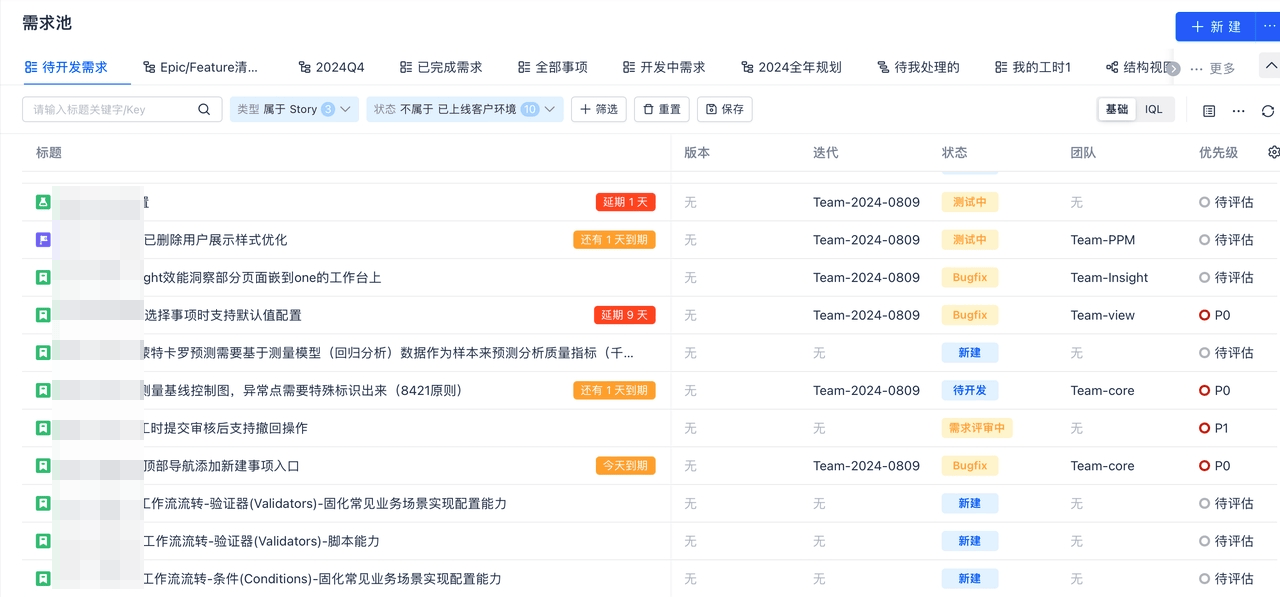
When entering the item list within a space, items in spaces with applied warning rules will automatically be tagged according to the warning rules.
If already overdue, it displays how many days overdue. If about to be overdue, it displays how many days until due. If it's due exactly today, it displays "due today".
Filter Warning Items
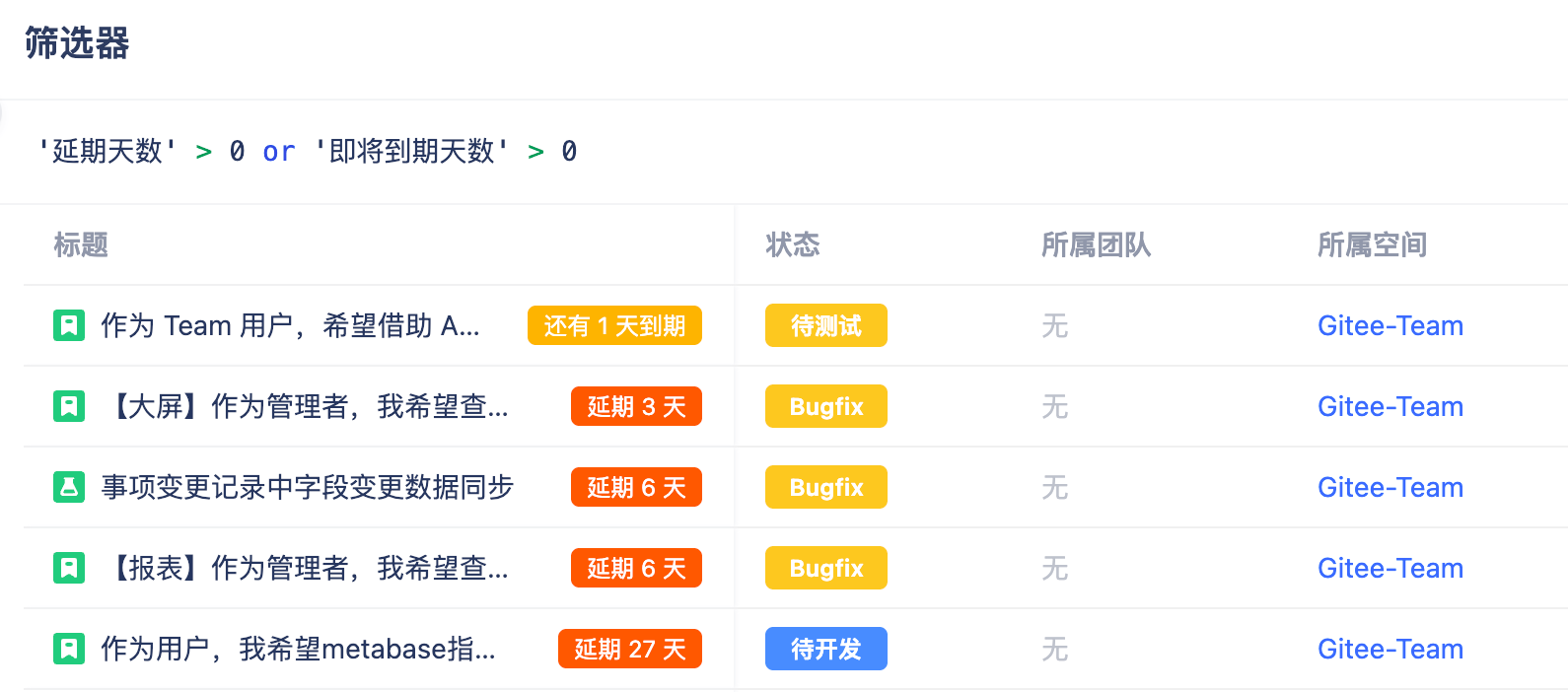
Use IQL search: 'Overdue Days' > 0 or 'Days Until Due' > 0 to filter warning items. This query can be saved as a view or filter.