Condition Node

Item Field Condition

Can determine whether a field value meets the condition.
Conditions:
- Equal to
- Not equal to
- Greater than
- Greater than or equal to
- Less than
- Less than or equal to
- Not empty
- Empty
- Between
- Contains
- Does not contain
Different fields will have different condition options.
The comparison value can be given directly or compared with fields from other items:

Tips: Field - Copy Source see Branch -> Current Item section.
User Condition
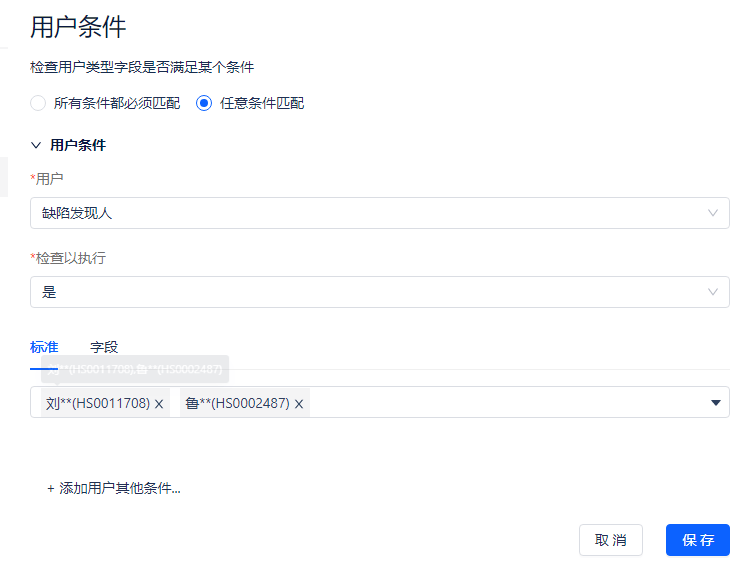
Used for user field judgment.
Related Item Condition
Can be used for complex logic judgment, as shown below:

When the workload of all sub-items of an item is greater than 2, the condition is satisfied.
Condition:
- All match: Passes when all items meet the condition
- Partial match: Passes when any item meets the condition
Related items: Sub-items, parent items, associated items, IQL. See Branch Rules/Related Items section for details.
Workflow Approval Condition
Used to handle items that require workflow approval
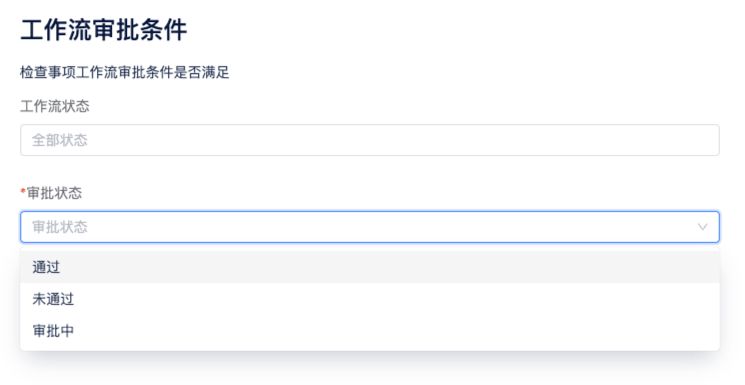
Workflow Status: Multiple selection, not required. If not filled, applies to all statuses
Approval Status: Single selection, required
Advanced Comparison
Used for expression comparison
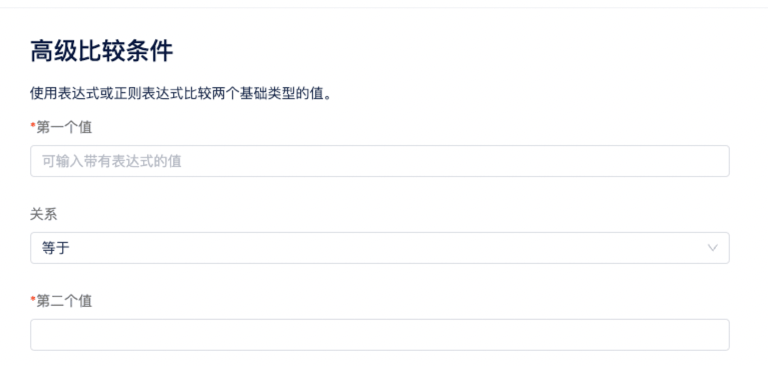
First Value: Expression for the first value
Relationship: Comparison relationship
- String comparison: equal, not equal, starts with, ends with, regex
- Number comparison: greater than, less than, greater than or equal to, less than or equal to
- Array comparison: contains, does not contain
- Empty, not empty judgment (these 2 options do not require filling the second value): can judge null, undefined, empty string, empty array, etc.
Second Value: Expression for the second value
Tips: If you need to compare an expression with a specific number for equality, you can use #{2}# to represent a specific number.
If/Else Branch
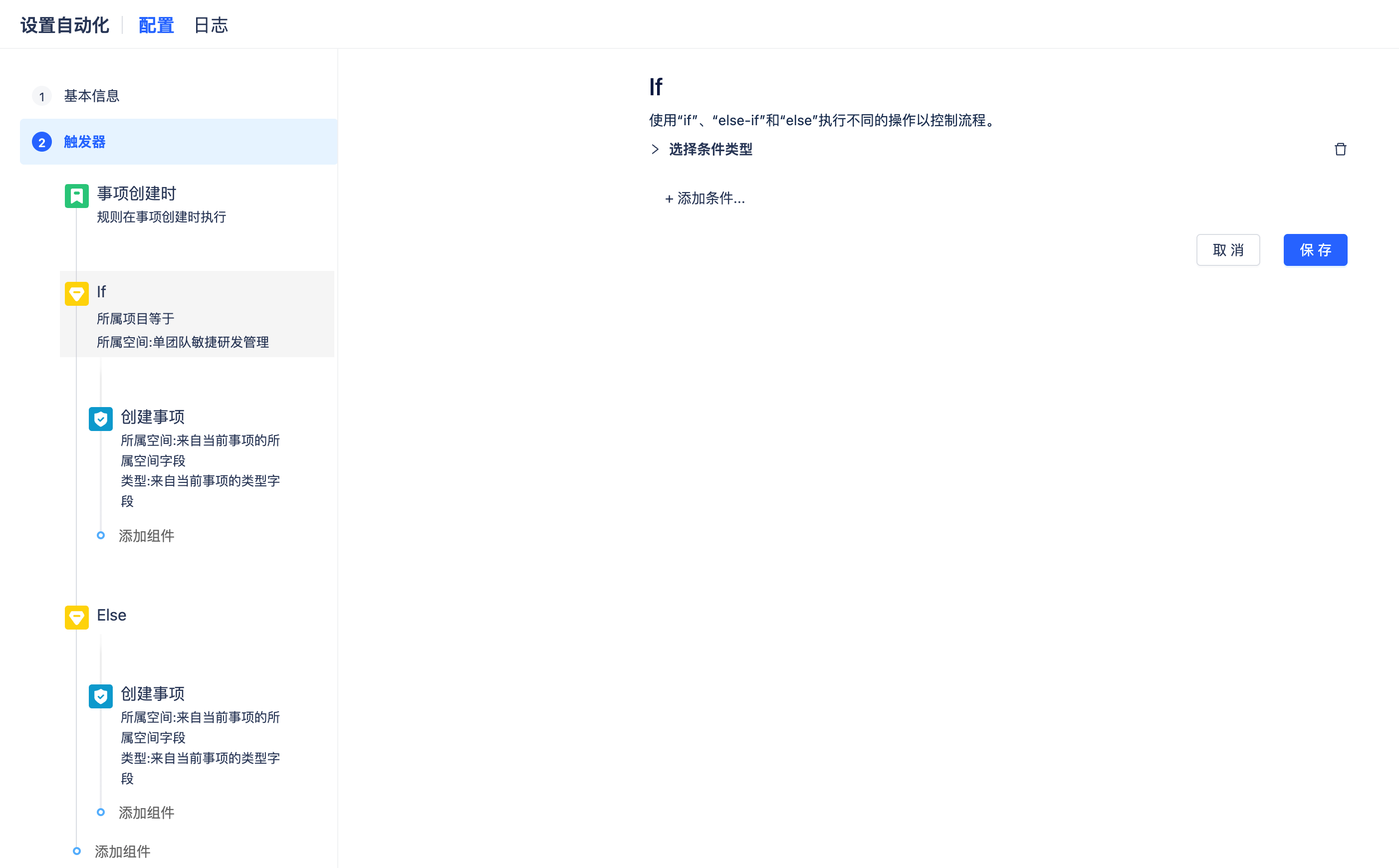
Simple if / else if / else logic, different results enter different branches.