Trigger Node
Triggers are the starting point of automation rules.
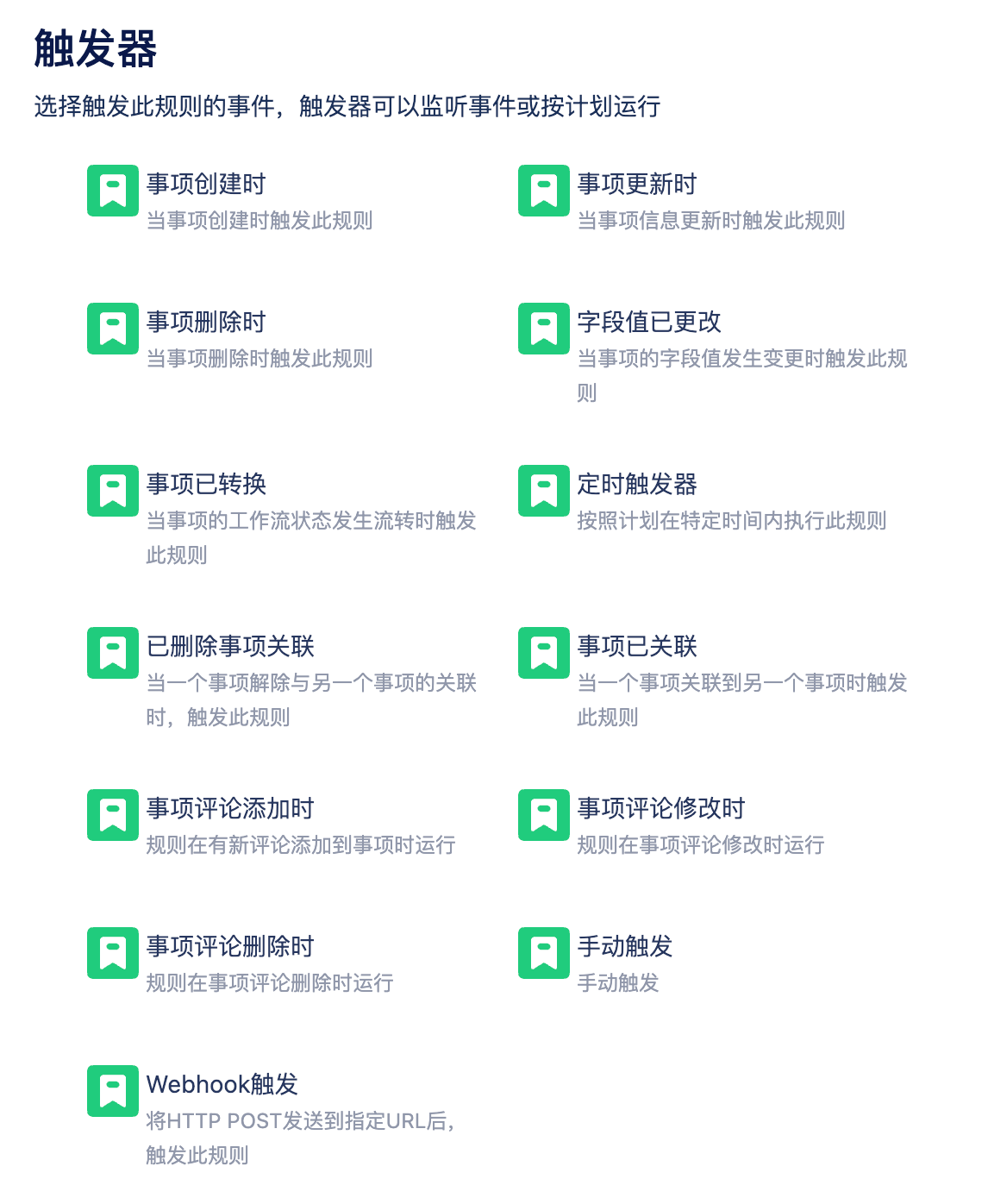
When Item Created, When Item Updated, When Item Deleted
Use When Item Created and When Item Updated triggers with caution, as these triggers have a broad scope.
You can narrow the effective scope by following these triggers with condition nodes.
Field Value Changed

You can select multiple fields. When any of these fields are modified, the automation will be triggered.
- Create Item: When a field value is filled during item creation, this option can replace the When Item Created trigger in some cases.
- Edit Item: Triggered when a field is edited, this option can replace the When Item Updated trigger in some cases.
- Transition Item: Sometimes transitioning item status requires filling out a form, and editing field values will trigger this.
Item Transitioned
This automation is triggered when an item's status transitions:

Status transitions have start and end states. In the above image, the start state is empty, meaning it will be triggered whenever the end state is Test Passed.
If both options are empty, any status transition can trigger the automation.
Scheduled Trigger
Commonly used for batch processing tasks, such as: overdue risk warnings, periodic notifications, etc.
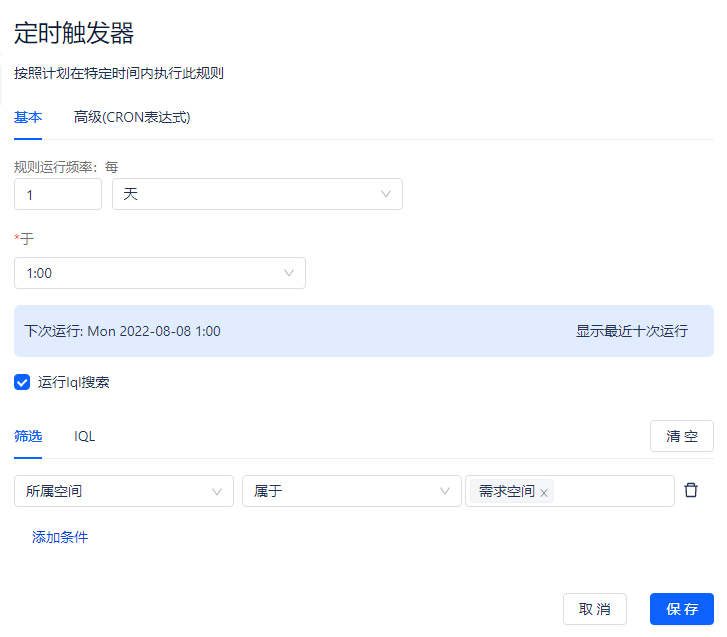
Scheduled triggers can usually be combined with IQL statements to further process query result sets, such as notifying relevant responsible parties.
Tips: Be careful not to set the execution interval too small, and don't query too many items with IQL.
Item Associated, Item Association Deleted

As the title suggests, this is triggered when item association-related operations occur.